7 best social media marketing tips to boost your business in 2021

7 best social media marketing tips to boost your business in 2021

Social Media Marketing is a platform used by many organizations to promote their products or services. With more and more people having easy access to the internet and the average time spent by an individual on social media sites increasing day by day, it’s only becoming more sensible and relevant to be more visible on Social media to boost your brand visibility.

A word on social media spreads like wildfire these days and many businesses will testify that they have experienced positive impacts on their business by focusing more on Social Media marketing than Printed Ads. Let us understand the latest trends in Social Media marketing that will fetch your business the necessary boost.

Why has social media marketing gained so much popularity?

Let’s go through some numbers to get to the root of why we need a social media marketing strategy to expand our business scope. As per the statistics, there are 3.78 billion social media users worldwide, constituting 48% of the total world population. The average time spent on social media platforms amounts to two hours and 25 minutes. That’s a lot of time, isn’t it? 73% of marketing leaders will vouch that they received positive results using social media marketing. These numbers are driving the organizations to focus more on the digital space to create brand awareness and establish customer trust.

7 best social media marketing tips

Boost your business with these unique strategies

Integration of artificial intelligence (AI)

Artificial intelligence marketing leverages AI concepts to integrate machine learning with marketing goals. AI helps in collecting and analyzing data to achieve data-driven decisions. Natural Language Processing (NLP), content generation and real-time personalization are a few ways AI can be deployed in marketing strategies to increase your brand presence.

Video marketing

Video marketing has become more relevant in times of pandemic, where most of the working professionals are stuck with Work-from-home and their working laptops. Video marketing creates a strong brand image and makes a lasting impression on the minds of the consumers. Unlike the myth that it’s a costly affair, all it takes to get a quality video is a Smartphone and editing software like Adobe Pro. So let’s get those videos rolling !!!

Influencer marketing

Influencer marketing is indeed a big thing when it comes to associating a brand with a public personality. The paradigm shift to micro-influencers (social media promoters with thousands to tens of thousands of followers) who have very high levels of engagement with their followers is on the rise. The public relates and trusts these micro-influencers more due to their relatability to common people. It’s a cost-effective option to reach a wider audience.

Generate leads on linkedIn

LinkedIn is an often-overlooked option in a Lead generation. The Quality of leads that are generated cannot be underestimated as most of the decision-makers are present on LinkedIn. Do not miss out on the big opportunities LinkedIn has to offer.

Hyper localization

Localizing the marketing strategies based on geography and buyer behaviour is becoming more relevant and important in current times. Creating unique blog content by location, location-specific ads, personalized offers, etc glorifies the consumer position and enhances customer engagement at the base level, promising a lasting relationship with the customers.

Corporate activism

The younger generation now is more interested to associate the brand values with the thoughts of Leaders from the Business. There is a pressing need for the Leadership to articulate their brand values in their posts and enhance their visibility.

Social media as a customer service platform

Social media offers better and faster communication channels for the customers to get their queries and requests addressed. It fortifies the brand image and value, creating prospective customers.

Conclusion

With the market space evolving and adapting to newer challenges, social media marketing is providing leverage to the Marketers with a space that imbibes a wider scope to connect with a larger targeted audience, converting sales prospects into valuable customers.

Did you know sometimes deindexing your webpage can increase your website traffic?

Did you know sometimes deindexing your webpage can increase your website traffic?

The websites are designed to be the virtual brand ambassadors of any organization. The content on the website is designed to attract more audiences to its webpage. There are multitudes of ways in which one can attract the right audience to a particular website. The content on the webpages plays a vital role in driving organic traffic to a website. Here we are discussing how deindexing can improve the performance of your website and drive better traffic to your website. Let us enlighten ourselves with these technical jargons first.

What is crawling and indexing?

Website crawling is a process in which software is deployed to search documents on the web with the intent to build an index for a webpage. This software program creates a copy of the visited webpages, which will be available for processing by a search engine. The crawlers help in maintenance tasks on a website, like checking links and HTML codes. Crawlers do an in-depth scan of webpages by following links from one webpage to another.

Crawling a website is an activity mainly dedicated to indexing the content on the web, meaning the web pages are indexed based on meta-data, keywords, etc. A webpage with ease of navigability and clear and targeted content will rank higher on the search results.

When should you deindex your webpage?

Deindexing is useful when you do not want outdated and duplicate content to be indexed. For example, multiple versions of your webpage, like the printer-friendly one or the regular one, may get indexed under different URLs. De-indexing irrelevant and duplicate content may help build better traffic to your webpage.


duplicate content with different uRLs


There are many aspects that can assist in indexing the relevant pages from your website. Setting up robot.txt file sitemaps are useful ways in which the crawlers can be guided to the right source that needs indexation and leave out irrelevant ones.
The robot.txt file controls the crawler traffic on your website and specifically defines which parts of the website to crawl and which to crawl not. The Sitemap similarly provides the blueprint of your website and allows the web crawler to index the most important pages on your site by listing the same.

How does this deindexing help in boosting the website traffic?

De-indexing takes away irrelevant outdated content from being indexed, hence allowing the organic traffic to reach the appropriate and relevant webpage on your website. Excessive indexing of web pages by search engines may lead to a situation called Index bloat, where an excess of low-value pages have automatically got indexed. The index bloat will slow down web crawling of important content which may be of high value from an SEO standpoint. It can pull down your ranking, in turn affecting your Domain authority. Hence, it’s prudent to de-index content that is irrelevant and of low value in attracting a targeted audience to your website.

How can you Deindex a webpage?

The easiest way will be to remove redundant content from the web pages. Other tools like Remove URL Tool, Remove Content Tool, Meta Robots Noindex tag, robot.txt, and sitemaps can be very helpful in structuring the content and presenting the web content in a relevant manner to the end-user.

Conclusion

While we are looking to get more visibility for our brands and organizations, making the targeted and relevant pages more visible to the web bots or crawlers will help in channelising quality web traffic to our sites. Stay ahead of time and become more connected with the current trends and avoid irrelevant pages that bring down our valuable branding strategies.

1. De-indexing, Thegray.company
2. Web Pages, Smartbugmedia
The Ultimate Guide to Google’s  ‘About this Result’ Feature

The Ultimate Guide to Google’s ‘About this Result’ Feature

Given that Google has become the ‘Go To’ solution finder for all the curious minds out there, we must admit each one of us does spend a significant amount of time on the Google Search engine to enlighten ourselves with more knowledge every single day. Over a period, the search relevancy and authenticity of the results and links have taken the hot seat and made the analysts question the relevancy of our keywords and the authenticity of the results. The outcome is the new addition of a feature called ‘About this result’ by Google on their search engine results page. Let us discover more about this feature today.

401K tips

Courtesy: Search Engine Land

What is ‘about this result’ feature

The ‘About this result’ feature was rolled out earlier this year (2021) in a beta phase and has received a recent update to itself. Currently, the feature provides a sturdy and comprehensive information panel, rolling information on the web page source, allowing the user to choose a more accurate and reliable information link.

Google has always made the end-user experience of paramount importance and worked towards enriching the user experience in myriad ways. Google narrows down information sought by the user by narrowing down relevant and useful content, employing many factors in its search algorithm. The algorithm links the keywords in the search query and the webpage ranking, which is based on how often a particular keyword is used on that page. The keyword density provides a higher ranking to a particular page and provides a higher-up position to that web page on the Search Engine Results Page (SERP).

How is it going to help the end user?

The ‘ About this Result’ Feature has imbibed in it the machine learning and complex search algorithms to deliver information that enhances User experience. The information box provides details to the level where the user will know more about the website hosting the information and also whether it uses HTTPS protocols to provide secure connections.

The Users can see suggestions for matching keywords or relevant terms, which may have more specific information they are looking for. There are also tips like the usage of quotation marks around phrases to get targeted results. The search results are more focused on having local relevance. The user will also know whether they are being an audience to paid Ads or they are arriving on results-based organic search results.

Is it available on all devices?

The feature is currently available on all desktops, mobile devices and the Android version of the Google app. The next time you type in a search query, don’t forget to look for the three vertical dots next to the search result displaying the source information and suggestions for you.

Take away

With the amount of information diversifying and multiplying on the Web, we must have a robust system assuring the end-users have a more relevant, useful and safe experience online. The feature allows the end-user to give feedback on the results appearing, making it a constantly improving feature to provide the best knowledge gaining and hassle-free experience for every individual user.

1. Search Algorithm, Computer.howstuffworks
2. Website, Smartframe.io
Top 10 things to check out when your website traffic is dropping

Top 10 things to check out when your website traffic is dropping

If you are a blogger or a digital marketer or a website owner, you might have experienced a noticeable drop in your traffic on multiple occasions. Therefore, it is important to investigate the reasons and tackle this problem to get things back on track.

The first step is to take an in-depth look at your website analytics by using Google Analytics or SEMrush or Google Search Console, to get a much better idea about lost traffic sources and whether your website was hit by any google penalty or is it due to bad SEO?

After analyzing your web analytics, ask yourself a few questions: Is there a sharp decline or a slow and steady decline or a sudden drop-off in your website traffic rankings? Did my site’s traffic drop for a few days or is the traffic recovering on its own? This will set you in the right direction in discovering the possible reason behind the traffic drop.

Let’s take a look at the ten things you should check for when you notice a significant drop in your organic traffic. Go through!

  1. Hit by Google algorithm updates

Google constantly rolls out updates every once in a while. Unfortunately, these changes may have impacted your website. However, keep in mind that this traffic decline can be temporary lasting for at least a week or two. Make use of algorithm-tracking tools like Mozcast or SEMrush or Algoroo to get information on up-to-date algorithm releases and analyze the factors triggering the decline.

  1. Crawl errors

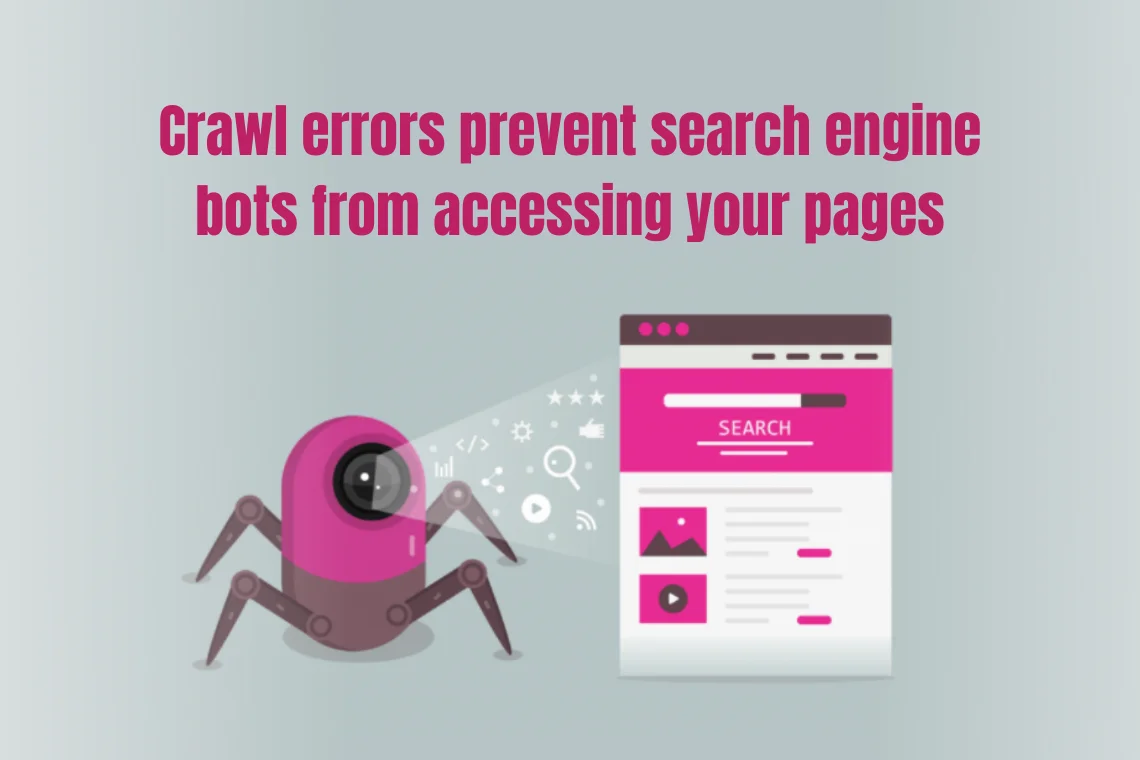
Crawl errors prevent search engine bots from accessing your pages. These errors are caused due to server, redirect and 404 errors, which negatively impact the crawling, indexing, and ranking of your website.


Crawl errors prevent search engine bots from accessing your pages


  1. Manual penalties

If your website ranks high on other search engines and a significant drop in rankings on Google could indicate that you are suffering from the Google penalty because the content on your site is against Google’s guidelines. To fix the problem, check for penalty warning messages in Google search console and take necessary action.

  1. De-indexing of URLs

When Important URLs are removed from the indexing causes a sudden website traffic loss. Check whether the important pages are still in the index using the URL inspection tool, or else use the request indexing option in the Google search console.

  1. SERP layout changes

SERP layout changes impact the way Google displays organic results like showing knowledge graphs, featured snippets, suggestions and advertisements, etc. Thus, it can decline your traffic levels. So, make sure you are adaptable to changes.

  1. Page speed

Page load speed not only affects your rankings but also visitors’ user experience. When page speed is slow, the bounce rates are higher. Check your page speed using the PageSpeed tool.

  1. Server issues

If the website encounters server issues because of a broken caching function, then look for errors in your server logs and resolve them quickly.

  1. Redesign of website

Substantial website changes, like redesign or content migration, may have potentially reduced traffic and rankings. Pay close attention to the concerning aspects like 301 redirects, site audit, etc. to avoid negative impact.

  1. SEO technical issues

Technical SEO issues are the baseline of your website that can stop you from ranking. It affects how the search engines crawl and index your page. Make sure you fix the issues to keep your rankings up.

  1. Cannibalisation

When a website appears for a keyword with multiple URLs due to keyword cannibalisation, it results in link losses, which may hurt your visibility and traffic. Make sure you track the lost inbound links to get them back.

Final thought

Organic traffic decline can be greatly damaging to your website rankings if unaddressed. However, carefully analyze with the right tools and follow a proper approach to uncover the reasons behind the issue. Take time to fix things with a strategic plan and restore your website rankings and organic traffic.

1. Lost Traffic Sources, Vudu Marketing
2. Possible Reason Behind the Traffic Drop, Search Engine Watch
How to protect your website from the negative impacts of duplicate content ?

How to protect your website from the negative impacts of duplicate content ?

The appearance of similar content on other websites or in multiple places on a site or social media platforms is not an uncommon issue. This duplicate content may be due to intentionally copying texts from your site or can be accidental, however, it must be addressed properly. In this blog, we will evaluate the possible effects of duplicate content on a website, the best ways to identify and fix duplicate content.

What is duplicate content?

In the field of SEO, duplicate content is defined as the content that is the same across multiple web pages of your site or on different web addresses anywhere on the internet. It is categorized into two types:

1. Internal duplicate content – when copies of content are found on multiple web pages on the same website.

2. External duplicate content – when the same content is duplicated in two or more domains. It is also called cross-domain duplicates.

Causes of duplicate content

Let’s take a look at some of the most common causes for duplicate content.

  • Website addresses can appear in different variations, like HTTP or HTTPS, WWW or non-WWW and pages with or without trailing slashes. Incorrect configuration of the server will make your website accessible at two or more of these URL variations.
  • When different websites sell similar products, sometimes they all use the same descriptions in multiple locations across the web.
  • Sometimes, other websites use your content on their websites with or without your consent and might not always link to your original article.
  • E-commerce websites use faceted navigation to filter and sort items on the page. Improper implementation of faceted navigation results in duplicates.

Impact of duplicate content on SEO rankings

  • The internal duplicate content exerts the greatest influence on your SEO than the external one. It will impact the website’s quality, score and credibility, thus leading to lower crawl frequency and rankings.
  • When identical content appears on multiple websites, the Google algorithm will show the site with the highest authority, even if it is not the original source.
  • Having some similar content is sometimes unavoidable, but when a large amount of content is intentionally copied from other sites to manipulate rankings, then it can invariably harm your site rankings and Google will penalise or deindex your website.

How to check and deal with duplicate content?

To check for duplicate content within the website and across the web.

  • Go to Ahrefs site audit and start a crawl. Now, head to the content quality report and look for clusters highlighted in orange without a canonical. These are duplicates and near-duplicates.
  • Look for warnings in the Google search console and HTML tags report.
  • Use any of Google’s duplicate content checker tools, like Copyscape, Plagspotter, to check occurrences of the content on your page on the web.
  • Find duplicate content by searching Google for a snippet of text from your page in quotation marks.

If the content has been scraped, then the related URLs will show up on the SERPs.
Below are some of the best practices for dealing with duplicate content.

Best practices for dealing with duplicate content

  • Canonical tags

Adding rel=canonical attribute to a page makes it clear to Google which version of a page is preferred for indexing. The canonical tag can be used for print, mobile, desktop and web versions of content.

  • Redirects

A typical solution for eliminating duplicate content is to implement a 301 redirect to the higher-performing pages in search results.

  • Meta tagging

Using the ‘no-index’ meta robots tag to the HTML code of the page will effectively make Google not index a page and preferably, not to show in search results.

  • Parameter Handling

Employ parameter handling through Google search console and Webmaster tools to signal search engines that these pages should not be crawled.

Conclusion

Understand that possessing large amounts of duplicated content on a website will harm your SEO rankings and organic traffic. Although penalties are rare, search engines treat these pages as less authoritative. Google wants to rank and index web pages with distinct information. Hence, detect and fix duplicate content issues for better rankings and quality scores in SERPs. However, it might take time, but make sure you take action.

7 important things to remember while migrating  Ecommerce data collection from Universal Analytics to Google Analytics 4

7 important things to remember while migrating Ecommerce data collection from Universal Analytics to Google Analytics 4

Data is one of the assets of great worth for any business, irrespective of size or industry. Google Analytics is a simple and reliable tool to track a website’s crucial data. This data is utilized to analyze and develop marketing decisions to build a successful SEO strategy for digital marketing. Read on to find out more about Google Analytics.

Google Analytics is a web analytics tool launched by Google in 2005 that tracks and reports website traffic or user behaviour. It has undergone many versions, and Universal Analytics(UA) is one of them that was introduced in 2012.

In the E-commerce industry, data collection efficiency plays a vital role in shaping customer strategies and thus analytics is a must. Google Analytics E-commerce report can track a website’s transactions, revenue, sales activity, and many other related aspects. This information helps to develop new strategies to expand the customer base, maximizing customer value and for increasing conversions, etc.

Google analytics 4 offers new ways to control data privacy

The updated version of Universal Analytics which was released in 2020, is Google Analytics 4(formerly called Google App+Web). It offers new ways to control data and privacy. Therefore, if you are planning to upgrade from Universal Analytics property to Google Analytics 4 property then below we have listed a few important things to remember for a successful transition of E-commerce data collection. Take a look!

  1. Do not alter your Universal Analytics implementation.
  1. Develop duplicate events for your Google Analytics 4 property. Unlike Universal Analytics, GA4 measures events and parameters on the user property level.
  1. Although it is possible to use your existing Universal Analytics E-commerce event names and parameters for your Google Analytics 4 property, it is not recommended. gtag.js implementations provide the option to reuse existing Universal Analytics E-commerce events for GA 4 by using connected site tags.
  1. Add additional events to capture data in the new schema because it is advisable to have two implementations in place: one for your Google Analytics 4 property and one for Universal Analytics.
  1. Google Tag Manager has a new tag for GA4 property to add a separate tracking code to your website.
  1. While upgrading to GA4 property custom events are not automatically migrated. You have to include the required parameters for E-commerce-specific events.
  1. Map the E-commerce events and parameters between Universal Analytics and Google Analytics 4 properties. In Google Analytics 4 properties, there is no difference between E-commerce and enhanced E-commerce.

Conclusion

  • Google Analytics 4 properties offer companies better control over tracking important metrics like organic traffic, returning visitors, conversions, and more.
  • Google has made it effortless to create a GA4 property based on an existing Universal Analytics property using the GA4 setup assistant.
  • Google Analytics 4 allows businesses to harness all the benefits of GA4 while retaining the ability to switch between properties at any time.
1. Universal Analytics, Neilpatel
2. Google Analytics 4 Property, Marketingsyrup

We use cookies to ensure that we give you the best experience on our website. If you continue to use this site we will assume that you are happy with it.

Cookies settings
Accept
Privacy & Cookie policy
Privacy & Cookies policy
Cookie name Active

Privacy Policy

What information do we collect?

We collect information from you when you register on our site or place an order. When ordering or registering on our site, as appropriate, you may be asked to enter your: name, e-mail address or mailing address.

What do we use your information for?

Any of the information we collect from you may be used in one of the following ways: To personalize your experience (your information helps us to better respond to your individual needs) To improve our website (we continually strive to improve our website offerings based on the information and feedback we receive from you) To improve customer service (your information helps us to more effectively respond to your customer service requests and support needs) To process transactions Your information, whether public or private, will not be sold, exchanged, transferred, or given to any other company for any reason whatsoever, without your consent, other than for the express purpose of delivering the purchased product or service requested. To administer a contest, promotion, survey or other site feature To send periodic emails The email address you provide for order processing, will only be used to send you information and updates pertaining to your order.

How do we protect your information?

We implement a variety of security measures to maintain the safety of your personal information when you place an order or enter, submit, or access your personal information. We offer the use of a secure server. All supplied sensitive/credit information is transmitted via Secure Socket Layer (SSL) technology and then encrypted into our Payment gateway providers database only to be accessible by those authorized with special access rights to such systems, and are required to?keep the information confidential. After a transaction, your private information (credit cards, social security numbers, financials, etc.) will not be kept on file for more than 60 days.

Do we use cookies?

Yes (Cookies are small files that a site or its service provider transfers to your computers hard drive through your Web browser (if you allow) that enables the sites or service providers systems to recognize your browser and capture and remember certain information We use cookies to help us remember and process the items in your shopping cart, understand and save your preferences for future visits, keep track of advertisements and compile aggregate data about site traffic and site interaction so that we can offer better site experiences and tools in the future. We may contract with third-party service providers to assist us in better understanding our site visitors. These service providers are not permitted to use the information collected on our behalf except to help us conduct and improve our business. If you prefer, you can choose to have your computer warn you each time a cookie is being sent, or you can choose to turn off all cookies via your browser settings. Like most websites, if you turn your cookies off, some of our services may not function properly. However, you can still place orders by contacting customer service. Google Analytics We use Google Analytics on our sites for anonymous reporting of site usage and for advertising on the site. If you would like to opt-out of Google Analytics monitoring your behaviour on our sites please use this link (https://tools.google.com/dlpage/gaoptout/)

Do we disclose any information to outside parties?

We do not sell, trade, or otherwise transfer to outside parties your personally identifiable information. This does not include trusted third parties who assist us in operating our website, conducting our business, or servicing you, so long as those parties agree to keep this information confidential. We may also release your information when we believe release is appropriate to comply with the law, enforce our site policies, or protect ours or others rights, property, or safety. However, non-personally identifiable visitor information may be provided to other parties for marketing, advertising, or other uses.

Registration

The minimum information we need to register you is your name, email address and a password. We will ask you more questions for different services, including sales promotions. Unless we say otherwise, you have to answer all the registration questions. We may also ask some other, voluntary questions during registration for certain services (for example, professional networks) so we can gain a clearer understanding of who you are. This also allows us to personalise services for you. To assist us in our marketing, in addition to the data that you provide to us if you register, we may also obtain data from trusted third parties to help us understand what you might be interested in. This ‘profiling’ information is produced from a variety of sources, including publicly available data (such as the electoral roll) or from sources such as surveys and polls where you have given your permission for your data to be shared. You can choose not to have such data shared with the Guardian from these sources by logging into your account and changing the settings in the privacy section. After you have registered, and with your permission, we may send you emails we think may interest you. Newsletters may be personalised based on what you have been reading on theguardian.com. At any time you can decide not to receive these emails and will be able to ‘unsubscribe’. Logging in using social networking credentials If you log-in to our sites using a Facebook log-in, you are granting permission to Facebook to share your user details with us. This will include your name, email address, date of birth and location which will then be used to form a Guardian identity. You can also use your picture from Facebook as part of your profile. This will also allow us and Facebook to share your, networks, user ID and any other information you choose to share according to your Facebook account settings. If you remove the Guardian app from your Facebook settings, we will no longer have access to this information. If you log-in to our sites using a Google log-in, you grant permission to Google to share your user details with us. This will include your name, email address, date of birth, sex and location which we will then use to form a Guardian identity. You may use your picture from Google as part of your profile. This also allows us to share your networks, user ID and any other information you choose to share according to your Google account settings. If you remove the Guardian from your Google settings, we will no longer have access to this information. If you log-in to our sites using a twitter log-in, we receive your avatar (the small picture that appears next to your tweets) and twitter username.

Children’s Online Privacy Protection Act Compliance

We are in compliance with the requirements of COPPA (Childrens Online Privacy Protection Act), we do not collect any information from anyone under 13 years of age. Our website, products and services are all directed to people who are at least 13 years old or older.

Updating your personal information

We offer a ‘My details’ page (also known as Dashboard), where you can update your personal information at any time, and change your marketing preferences. You can get to this page from most pages on the site – simply click on the ‘My details’ link at the top of the screen when you are signed in.

Online Privacy Policy Only

This online privacy policy applies only to information collected through our website and not to information collected offline.

Your Consent

By using our site, you consent to our privacy policy.

Changes to our Privacy Policy

If we decide to change our privacy policy, we will post those changes on this page.
Save settings
Cookies settings