Factors that trigger Website wide quality Re-evaluation

Factors that trigger Website wide quality Re-evaluation

At certain times when webmasters make major changes to a website, such as restructuring a website, change in content, change in site appearance, change in URL and internal links or a CMS, then a sitewide re-evaluation is needed. At this point, the publishers or webmasters have to submissively wait for the search engine to crawl their website and come across considerable changes during the process.

Therefore, here comes the question of how webmasters or publishers can let Google know that there were significant changes to their website and they require a quality re-evaluation. Is there any way to trigger a re-evaluation when the entire website has gone through a rapid change?

Google’s John Mueller has recently answered this question in the latest Google SEO office-hours on August 6, 2021. He also talked about how re-evaluation works and its impact on the SEO of the website.

John Mueller explained that there is no technical approach for the webmasters to trigger a re-evaluation and it is also not required because if Google’s systems see any significant changes in the site, then from a quality or technical point of view Google would definitely consider re-evaluating the site as everything on it looks different now. Mueller also added that publishers or website owners would have to perform many incremental changes to keep their website re-evaluated.

Here are some factors that a webmaster can improve so that it might probably speed up Google to notice your website and trigger re-evaluation from a quality point of view.

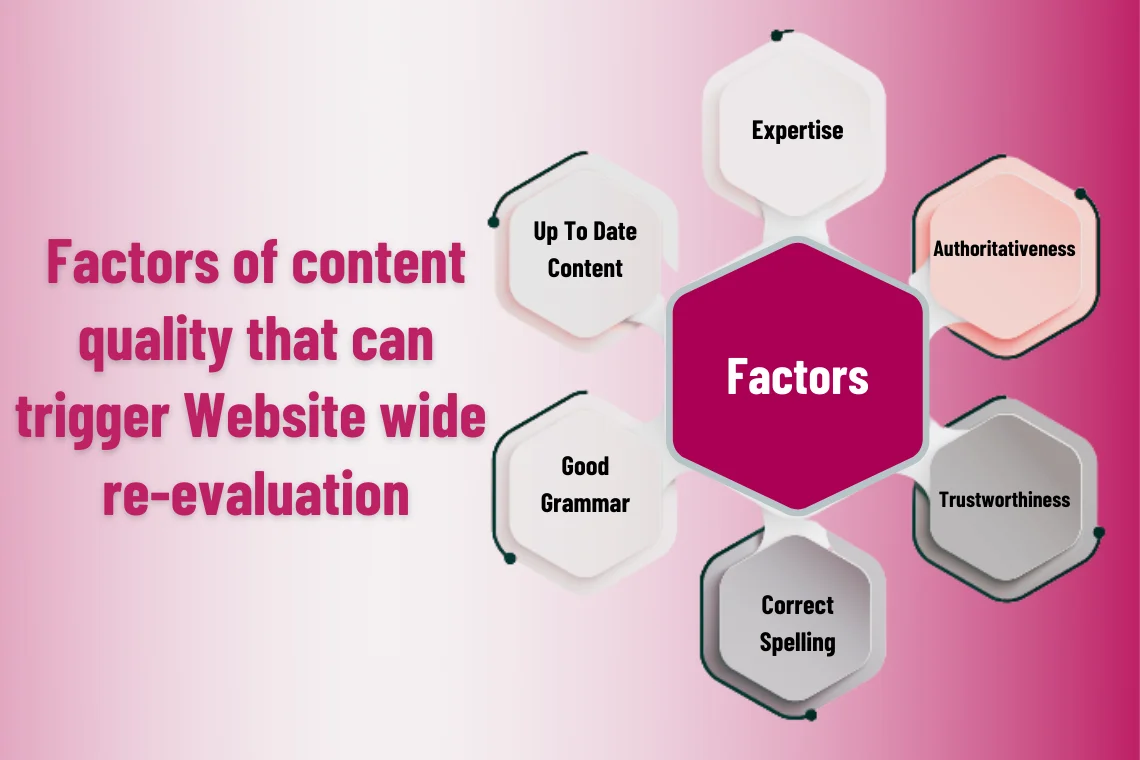
Factors of content quality that can trigger sitewide re-evaluation

  • Content quality

Improve sitewide quality by publishing high-quality content with correct spelling, grammar, and depth. Ensure that the content is useful and implement EAT (Expertise, Authoritativeness, Trustworthiness) which is an important thing considered by Google when crawling and indexing pages.

  • Natural and quality backlinks

To build high-quality links for your site, you need to develop quality content. PageRank is an algorithm developed by Google that gives each page of the website a score of authority and importance by evaluating the quality and quantity of its links.

  • Mobile experience

In recent times all users prefer to use mobile devices to find information on Google. Hence, website owners should consider developing a responsive and adaptive website design with the fast loading speed, easy navigation, and shorter forms to provide users with the best mobile experience.

  • Page experience

The page experience or the user experience of a website is more important for Search engine optimization. The speed and ease of navigation of a website provide a better experience for users. Engaging content with images and charts improves dwell time.

  • Content freshness

Update your website with valuable and up to date content to provide necessary information for visitors. Make sure to use relevant keywords and new content as Google favours fresher results in their SERPs.

Take away

An SEO expert doesn’t need to trigger re-evaluation manually because if there are any significant changes in the site Google systems will essentially consider re-evaluation.

An interesting idea revolves around the discussion that if Google should consider a re-evaluation tool or rather recommend a manual way to trigger a sitewide re-evaluation because there are many instances where webmasters make changes to their websites. Therefore, it may be helpful for them to set off a re-evaluation if their website has gone through any major change.

Watch John Mueller’s answer the query in this latest Google SEO office-hours video below:

If you are concerned about your website’s SEO or rankings, check out our SEO Strategy and Services. Our leading digital marketing agency is a one-stop solution for your multiple problems. Contact us today to get a quote on our SEO Services.

1. Sitewide re-evaluation, Search engine journal
Is your website deindexed by google? Here is what you can do

Is your website deindexed by google? Here is what you can do

Website owners make all possible efforts to get Google to index their web pages. They try hard to get high ranking, visibility and enough traffic to their websites. But suddenly your ranking and visibility are lost in a moment. This indicates that the website is de-indexed by Google due to some reasons. In this blog, we will discuss some of the reasons that can push Google to de-index your website along with some remedial actions. To get started, let us first discuss what is the meaning of de-indexing?

What is de-indexing?

De-indexing is an SEO process of pulling off a website, or a webpage, or some content of the page from the search engine’s index and therefore it does not show up in the SERPs of any search portals like Google and Bing.

How do you know if a website is de-indexed?

To identify whether your website or certain pages are de-indexed by Google is by checking manually on Google search. The other best way to keep track of the errors on your domain is by using online tools like the Google search console where you get useful information such as server errors, number of indexed pages, backlinks to your site, and affected URLs, etc.

How will de-indexing affect the website ranking?

If the pages where most of your content is posted are deindexed, it will hurt your site’s overall quality and rankings. Users can find your website online through search engines and so if your website does not show up in search results then this will have a severe impact on your SEO rankings. However, if low-quality pages are de-indexed then it might help too.

Why does Google de-index certain pages and How to recover from it?

Google may permanently or temporarily exclude some websites or certain pages from its index and search results if the sites do not meet Google’s webmaster guidelines. Below are some of the main reasons why Google might have de-indexed your WordPress website from search engine result pages.

  • Keyword stuffing
  • Duplicate content
  • Page cloaking
  • Unnatural backlinks or improper link building practices.
  • Poor quality content
  • Server issues

Important recovery steps to deal with de-indexing issues

To recover from de-indexing issues your first reflex should be to check the cause of the errors. Once you have identified the reasons, make sure you take the necessary steps to rectify them. Here are some of the recovery steps to be implemented.

  • Perform an audit to identify the list of natural and unnatural or spammy links. Once identified, disavow the unnatural links. The best strategy for building natural links organically is to provide quality and unique content.
  • Uncover low-quality, thin and duplicate content pages by using an SEO crawler. Check your spelling and grammar, improve the quality of the content and make sure you keep consistency.
  • Check with your web host server for any crashes recently. If any, determine the bottleneck that is impacting and stabilize them. Also, include a website monitoring service to get alerts about server crashes.
  • Check for any new algorithm updates or guidelines and modify your website accordingly.
  • Never buy links or use linking software to generate artificial links.
  • Identify spammy links redirected to your site and clean up the malware.
  • Use link checker tools or Google webmaster tools to identify broken links and make sure you fix them.

Finally, make sure you follow the guidelines while crafting your site and submit a sitemap or reconsideration request to Google along with steps that were taken to resolve the issues to get your website re-indexed.

Take away

Search engines like Google’s bots crawl through every WordPress page or post that is available on the web and is indexed. Therefore, if your site or certain pages of your site are de-indexed then there seem to be several reasons to be considered. Check the above-mentioned factors and review your entire site SEO.

If you are concerned about your website’s SEO or rankings, check out our SEO Strategy and Services. Our leading digital marketing agency is a one-stop solution for your multiple problems. Contact us today to get a quote on our SEO Services.

5 Redirect Mistakes That Can Impact Your Website Negatively

5 Redirect Mistakes That Can Impact Your Website Negatively

A sudden drop in the SEO rankings is like a nightmare for webmasters. This can happen for a variety of reasons, but if it is due to a redirect mistake, then all the hard work is gone. Well, no worries! You can certainly prevent these errors. In this article, we will learn in detail about everything you need to know about redirects. Let’s get started!

What is a redirect?

A redirect, also termed as URL forwarding, is a technique to forward your website’s visitors to a different URL. It means when a user visits the old URL, the redirect will automatically instruct the browser to go to the new URL.

There are several types of redirects used in different situations. Therefore, think carefully about which type you need to use before you redirect a page or multiple pages on your website so that it will not hurt SEO rankings and the domain authority of your website. The commonly used redirects are 301, 302, 307, HTTP headers, meta refresh, and others.

When to create redirects?

There are numerous reasons to use a redirect, some of them include:

  • When merging two websites
  • To direct search traffic to recently updated content
  • When updating the website’s CMS platform
  • If there is a change in the business name
  • To move or delete a page
  • When website redesign issues are taking place
  • Redirecting all the content to a new website
  • When moving to HTTPS

How does redirect mistakes impact your SEO?

Redirects are essential in SEO for successfully rebuilding your website. They aid SEO in many ways like you can fix broken links, maintain the same domain authority as the original content for the new page.

Despite the importance, using the redirects incorrectly will lower the user experience, discourage the search-bots from exploring your webpage and thus seriously impact both search traffic and site rankings.

5 Redirect mistakes that can affect your website traffic

Redirect mistakes that you should avoid

It is common for SEO experts to use redirects regularly, but if the redirects are not implemented properly, then they have a negative impact on Google ranking. Here are the five redirect mistakes to keep off and fix them.

1.Redirecting all pages to your home page

It is a bad practice to redirect pages to the homepage to rank high. This will reduce the value of the content you have built upon the old URLs.

Tip:

Redirect each broken link to the relevant page and if there is no relevant page, let it show a 404 error page not found.

2.Keeping both HTTP & HTTPS versions

When an SSL certificate is integrated, the website URLs get changed from HTTP to HTTPS. Keeping both versions that have the same content will trigger a plagiarism signal.

Tip:

Use 301 redirect to permanently move the website to the HTTPS version.

3.Getting trapped in redirect chains and redirect loops

When one page redirects to another, and another, then a redirect chain takes place. Similarly, when page 1 redirects to page 2, page 2 to page 3 and so on, then it is a redirect loop. They will slow down the website and degrade the user experience.

Tip:

When you create new redirects, update the old ones to take the shortest path to reach the final content.

4. Using the wrong redirect

It is important to choose the right redirect based on the situation. For example, 301 redirects indicate the moving of a webpage permanently and 302 indicates that the content has been temporarily moved. Therefore, using the wrong redirect can cause significant issues on performance.

Tip:

A 301 redirect is ideal if your page is going to be back soon.

5. Forgetting broken links

A website with many broken links with 404 errors will put visitors at a dead end. Hence causes a drop in traffic and an increased bounce rate.

Tip:

It is essential to keep a track of broken links, monthly or quarterly and take the necessary action.

Conclusion

  • Redirects are helpful, but could also negatively impact your website (if used the wrong way). So, take some time and effort to implement your redirects correctly.
  • Make sure you keep an eye on your redirects and use them properly for the best SEO outcomes.
  • Avoiding the common redirect mistakes mentioned above will preserve your domain authority and rankings.
1. Several Types of Redirects, Search Engine Journal
2. 301 Rredirects, Ahrefs
Learn all about Google’s ‘Link spam update’ in 2021

Learn all about Google’s ‘Link spam update’ in 2021

Hello webmasters, Google is back with a new update called the Link spam update. Here is all you need to know about this update and some specific guidelines to manage spam links.

What is Google’s latest algorithm update?

Google has launched this new algorithm update to broadly improve the quality of the search results. This latest update, which is rolling out over the next few weeks, is focused on identifying and nullifying manipulative links on websites that allow sponsored, affiliate and guest posts.

Link building is a fundamental process in SEO and website owners commonly use outbound links within the content to get better visibility in Google search engine result pages (SERPs). However, sometimes website owners practice some of the wrong SEO techniques, like the use of spammy backlinks, to boost their website’s organic traffic.

What is Google’s Link spam update about?

Google Link spam update works at nullifying these unreliable spammy links that helped in high rankings of your page. This does not necessarily mean that Google will penalize the websites, instead, it will ignore and not evaluate these links anymore, which is obviously like a penalty to the website.


Link spam update will nulify spammy backlinks


How can Link spam Update impact rankings?

If your website does not comply with Google’s guidelines for link schemes, then you might see a sharp drop in your website’s rankings.

Some of the inappropriate link schemes that violate Google’s guidelines include:

  • Buying backlinks
  • Generate backlinks using bots or auto-services
  • Targeted guest blogging

How to deal with Google Link spam update?

In particular, Google is picking out affiliate links and links from sponsored guest content. Hence, below are a set of best practices to prevent getting hit by the latest update.

  1. Websites participating in affiliate programs should appropriately qualify these affiliate links by using the attribute rel=”sponsored” to the hyperlink tag.
  1. Websites must add tag rel=”ugc” to the links if there is a value exchange between the two domains, like the links from sponsored posts such as advertisements and paid links.
  1. Despite the links created manually or dynamically, Google recommends that links from guest posts are to be marked up with the rel=”nofollow” value.

Thus, if you are using WordPress, then you can use ‘functions.php’ to add these attributes or if you are using manual links, then you can edit the links one after the other.

Wrapping Up

  • Link spam is a global update across multiple languages which impacts both inbound and outbound links that are not natural and manipulative.
  • Websites taking part in link spam will see a drop in their rankings as these links are re-assessed by the new Link spam algorithm update.
  • Google advises website owners to focus on improving the site content and user experience, which help in attracting new backlinks naturally over time that are in accordance with Google’s webmaster guidelines.
  • The Link spam update will encourage the appropriate process of link-building and ensure that website owners don’t trade the links.
  • Make sure you are in compliance with the new Link spam update by following the best practices and invest in appropriately tagged links.
1. Google Link Spam Update, Delante.co
2. Affiliate Links, Rankya
Top 10 things to check out when your website traffic is dropping

Top 10 things to check out when your website traffic is dropping

If you are a blogger or a digital marketer or a website owner, you might have experienced a noticeable drop in your traffic on multiple occasions. Therefore, it is important to investigate the reasons and tackle this problem to get things back on track.

The first step is to take an in-depth look at your website analytics by using Google Analytics or SEMrush or Google Search Console, to get a much better idea about lost traffic sources and whether your website was hit by any google penalty or is it due to bad SEO?

After analyzing your web analytics, ask yourself a few questions: Is there a sharp decline or a slow and steady decline or a sudden drop-off in your website traffic rankings? Did my site’s traffic drop for a few days or is the traffic recovering on its own? This will set you in the right direction in discovering the possible reason behind the traffic drop.

Let’s take a look at the ten things you should check for when you notice a significant drop in your organic traffic. Go through!

  1. Hit by Google algorithm updates

Google constantly rolls out updates every once in a while. Unfortunately, these changes may have impacted your website. However, keep in mind that this traffic decline can be temporary lasting for at least a week or two. Make use of algorithm-tracking tools like Mozcast or SEMrush or Algoroo to get information on up-to-date algorithm releases and analyze the factors triggering the decline.

  1. Crawl errors

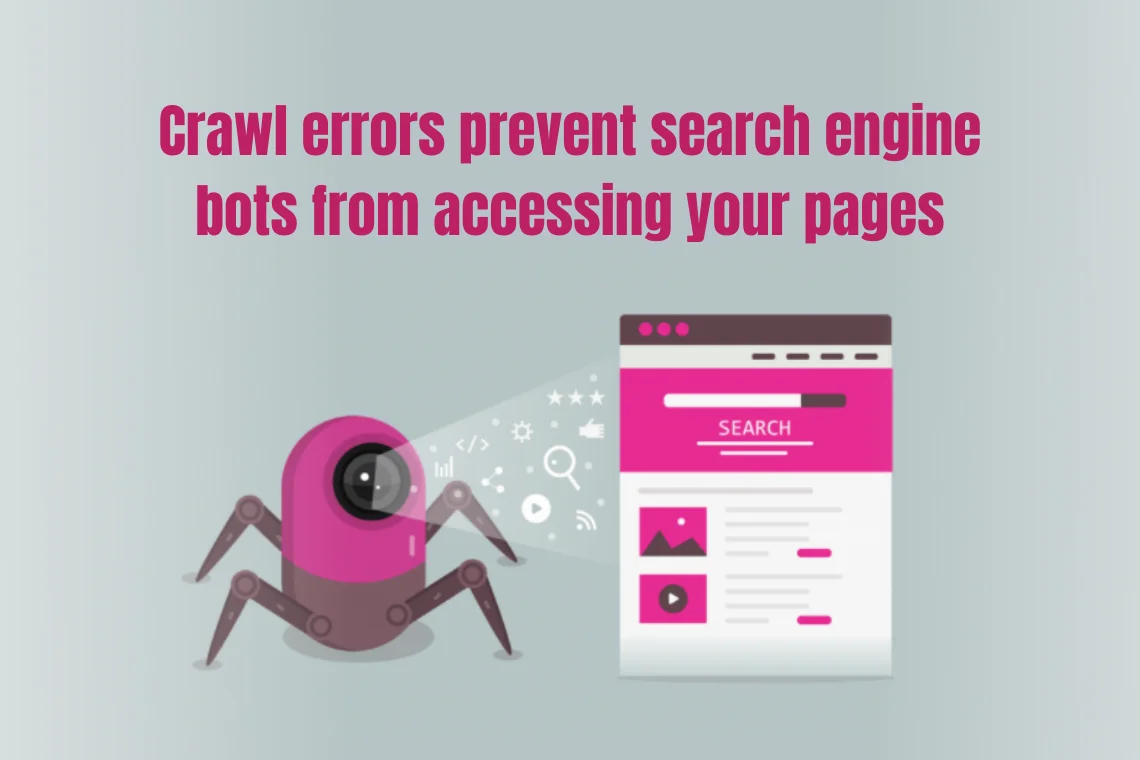
Crawl errors prevent search engine bots from accessing your pages. These errors are caused due to server, redirect and 404 errors, which negatively impact the crawling, indexing, and ranking of your website.


Crawl errors prevent search engine bots from accessing your pages


  1. Manual penalties

If your website ranks high on other search engines and a significant drop in rankings on Google could indicate that you are suffering from the Google penalty because the content on your site is against Google’s guidelines. To fix the problem, check for penalty warning messages in Google search console and take necessary action.

  1. De-indexing of URLs

When Important URLs are removed from the indexing causes a sudden website traffic loss. Check whether the important pages are still in the index using the URL inspection tool, or else use the request indexing option in the Google search console.

  1. SERP layout changes

SERP layout changes impact the way Google displays organic results like showing knowledge graphs, featured snippets, suggestions and advertisements, etc. Thus, it can decline your traffic levels. So, make sure you are adaptable to changes.

  1. Page speed

Page load speed not only affects your rankings but also visitors’ user experience. When page speed is slow, the bounce rates are higher. Check your page speed using the PageSpeed tool.

  1. Server issues

If the website encounters server issues because of a broken caching function, then look for errors in your server logs and resolve them quickly.

  1. Redesign of website

Substantial website changes, like redesign or content migration, may have potentially reduced traffic and rankings. Pay close attention to the concerning aspects like 301 redirects, site audit, etc. to avoid negative impact.

  1. SEO technical issues

Technical SEO issues are the baseline of your website that can stop you from ranking. It affects how the search engines crawl and index your page. Make sure you fix the issues to keep your rankings up.

  1. Cannibalisation

When a website appears for a keyword with multiple URLs due to keyword cannibalisation, it results in link losses, which may hurt your visibility and traffic. Make sure you track the lost inbound links to get them back.

Final thought

Organic traffic decline can be greatly damaging to your website rankings if unaddressed. However, carefully analyze with the right tools and follow a proper approach to uncover the reasons behind the issue. Take time to fix things with a strategic plan and restore your website rankings and organic traffic.

1. Lost Traffic Sources, Vudu Marketing
2. Possible Reason Behind the Traffic Drop, Search Engine Watch

We use cookies to ensure that we give you the best experience on our website. If you continue to use this site we will assume that you are happy with it.

Cookies settings
Accept
Privacy & Cookie policy
Privacy & Cookies policy
Cookie name Active

Privacy Policy

What information do we collect?

We collect information from you when you register on our site or place an order. When ordering or registering on our site, as appropriate, you may be asked to enter your: name, e-mail address or mailing address.

What do we use your information for?

Any of the information we collect from you may be used in one of the following ways: To personalize your experience (your information helps us to better respond to your individual needs) To improve our website (we continually strive to improve our website offerings based on the information and feedback we receive from you) To improve customer service (your information helps us to more effectively respond to your customer service requests and support needs) To process transactions Your information, whether public or private, will not be sold, exchanged, transferred, or given to any other company for any reason whatsoever, without your consent, other than for the express purpose of delivering the purchased product or service requested. To administer a contest, promotion, survey or other site feature To send periodic emails The email address you provide for order processing, will only be used to send you information and updates pertaining to your order.

How do we protect your information?

We implement a variety of security measures to maintain the safety of your personal information when you place an order or enter, submit, or access your personal information. We offer the use of a secure server. All supplied sensitive/credit information is transmitted via Secure Socket Layer (SSL) technology and then encrypted into our Payment gateway providers database only to be accessible by those authorized with special access rights to such systems, and are required to?keep the information confidential. After a transaction, your private information (credit cards, social security numbers, financials, etc.) will not be kept on file for more than 60 days.

Do we use cookies?

Yes (Cookies are small files that a site or its service provider transfers to your computers hard drive through your Web browser (if you allow) that enables the sites or service providers systems to recognize your browser and capture and remember certain information We use cookies to help us remember and process the items in your shopping cart, understand and save your preferences for future visits, keep track of advertisements and compile aggregate data about site traffic and site interaction so that we can offer better site experiences and tools in the future. We may contract with third-party service providers to assist us in better understanding our site visitors. These service providers are not permitted to use the information collected on our behalf except to help us conduct and improve our business. If you prefer, you can choose to have your computer warn you each time a cookie is being sent, or you can choose to turn off all cookies via your browser settings. Like most websites, if you turn your cookies off, some of our services may not function properly. However, you can still place orders by contacting customer service. Google Analytics We use Google Analytics on our sites for anonymous reporting of site usage and for advertising on the site. If you would like to opt-out of Google Analytics monitoring your behaviour on our sites please use this link (https://tools.google.com/dlpage/gaoptout/)

Do we disclose any information to outside parties?

We do not sell, trade, or otherwise transfer to outside parties your personally identifiable information. This does not include trusted third parties who assist us in operating our website, conducting our business, or servicing you, so long as those parties agree to keep this information confidential. We may also release your information when we believe release is appropriate to comply with the law, enforce our site policies, or protect ours or others rights, property, or safety. However, non-personally identifiable visitor information may be provided to other parties for marketing, advertising, or other uses.

Registration

The minimum information we need to register you is your name, email address and a password. We will ask you more questions for different services, including sales promotions. Unless we say otherwise, you have to answer all the registration questions. We may also ask some other, voluntary questions during registration for certain services (for example, professional networks) so we can gain a clearer understanding of who you are. This also allows us to personalise services for you. To assist us in our marketing, in addition to the data that you provide to us if you register, we may also obtain data from trusted third parties to help us understand what you might be interested in. This ‘profiling’ information is produced from a variety of sources, including publicly available data (such as the electoral roll) or from sources such as surveys and polls where you have given your permission for your data to be shared. You can choose not to have such data shared with the Guardian from these sources by logging into your account and changing the settings in the privacy section. After you have registered, and with your permission, we may send you emails we think may interest you. Newsletters may be personalised based on what you have been reading on theguardian.com. At any time you can decide not to receive these emails and will be able to ‘unsubscribe’. Logging in using social networking credentials If you log-in to our sites using a Facebook log-in, you are granting permission to Facebook to share your user details with us. This will include your name, email address, date of birth and location which will then be used to form a Guardian identity. You can also use your picture from Facebook as part of your profile. This will also allow us and Facebook to share your, networks, user ID and any other information you choose to share according to your Facebook account settings. If you remove the Guardian app from your Facebook settings, we will no longer have access to this information. If you log-in to our sites using a Google log-in, you grant permission to Google to share your user details with us. This will include your name, email address, date of birth, sex and location which we will then use to form a Guardian identity. You may use your picture from Google as part of your profile. This also allows us to share your networks, user ID and any other information you choose to share according to your Google account settings. If you remove the Guardian from your Google settings, we will no longer have access to this information. If you log-in to our sites using a twitter log-in, we receive your avatar (the small picture that appears next to your tweets) and twitter username.

Children’s Online Privacy Protection Act Compliance

We are in compliance with the requirements of COPPA (Childrens Online Privacy Protection Act), we do not collect any information from anyone under 13 years of age. Our website, products and services are all directed to people who are at least 13 years old or older.

Updating your personal information

We offer a ‘My details’ page (also known as Dashboard), where you can update your personal information at any time, and change your marketing preferences. You can get to this page from most pages on the site – simply click on the ‘My details’ link at the top of the screen when you are signed in.

Online Privacy Policy Only

This online privacy policy applies only to information collected through our website and not to information collected offline.

Your Consent

By using our site, you consent to our privacy policy.

Changes to our Privacy Policy

If we decide to change our privacy policy, we will post those changes on this page.

Save settings
Cookies settings